
Why the Digital Workflow in Photography is so Important
Here's how I do it with step-by-step instructions

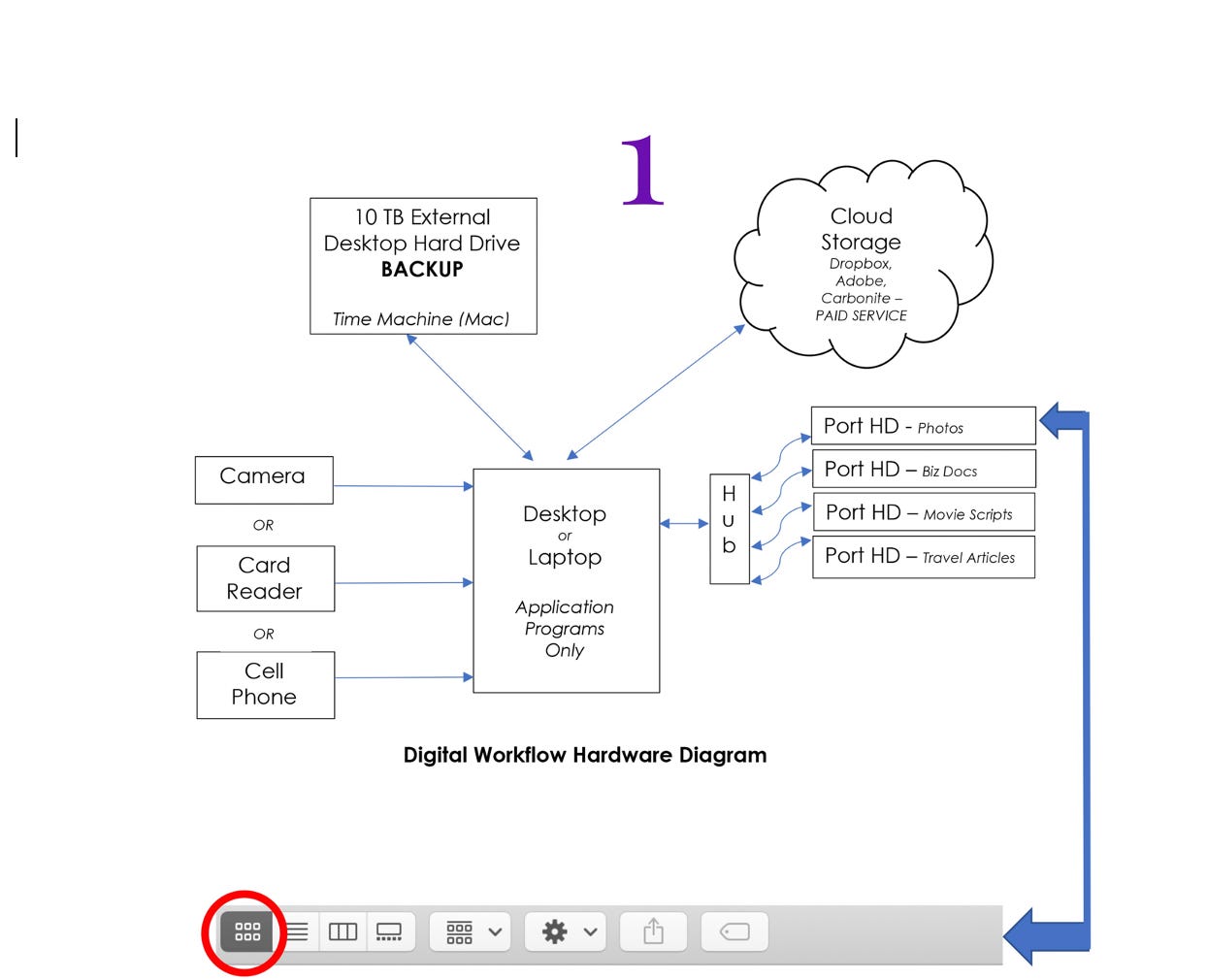
The Digital Workflow – What you need to know for success
It is old-fashioned, manual, foolproof, adaptable, and guaranteed. Those are pretty strong words for this brand of digital workflow. With over 30 years working with and perfecting this system, I am confident in my bold assertions.
Old Fashioned
As an early adopter of digital photography, no one taught about workflow and keeping track of your files. After devising my system, I shared it with other photographers converting to a digital medium.
Manual
The system I developed was manual and very basic. Lightroom was not available at that time. As a take-off from Bridge (included in Adobe Photoshop), it's been expanded and is continually updated. There are quite a few users who still only use Bridge. They are missing out on all the capabilities and automation found in Lightroom today.
The advantage of using my digital workflow system is that you know every photo's status in your process. For example, is it still only an original, is it in work, has it been completed, and is it ready to share with the world?
Remember – once it goes out of your computer electronically, it is lost to you forever. You can't get it back. People will know who the photographer is, whether it's good or bad imagery. Therefore, you must share only the best images in your collection.
